
Welcome to Worldia, we have over 25 years of expertise.

Why Choose Bluetooth Smart Glasses for Business?

Bluetooth Smart Glasses are moving from product demonstrations into practical business environments. Sales teams can view prompts during client meetings. Technicians can receive instructions while keeping both hands free. Warehouse workers can scan labels without reaching for a separate device. These small moments can reduce interruptions, but they do not guarantee better performance.

Hugo Swart, Qualcomm’s former vice president and general manager of XR, has said, “The future of XR is in glasses that look like glasses.” That observation matters for business buyers. Employees are more likely to accept lightweight frames that resemble ordinary eyewear. Comfort, battery life, microphone clarity, and stable Bluetooth connections often matter more than impressive demonstrations. A device that feels heavy after twenty minutes will probably remain in its charging case.

Bluetooth Smart Glasses can also support remote assistance, live translation, voice notes, and private workflow alerts. However, companies must test these features in real conditions. Factory noise can weaken voice recognition. Bright sunlight can reduce display visibility. Weak device management can expose sensitive information. Reliable deployment requires user training, clear consent procedures, encryption, and documented data-retention rules.

The business case is promising, but it is not automatic. Some employees may dislike wearable cameras or recorded conversations. Others may find constant notifications distracting. Pilot programs should measure task time, error rates, comfort, and employee feedback. Honest results may reveal limited value in certain roles. That is useful. A careful buyer chooses Bluetooth Smart Glasses because they solve a defined operational problem, not because the technology looks futuristic.
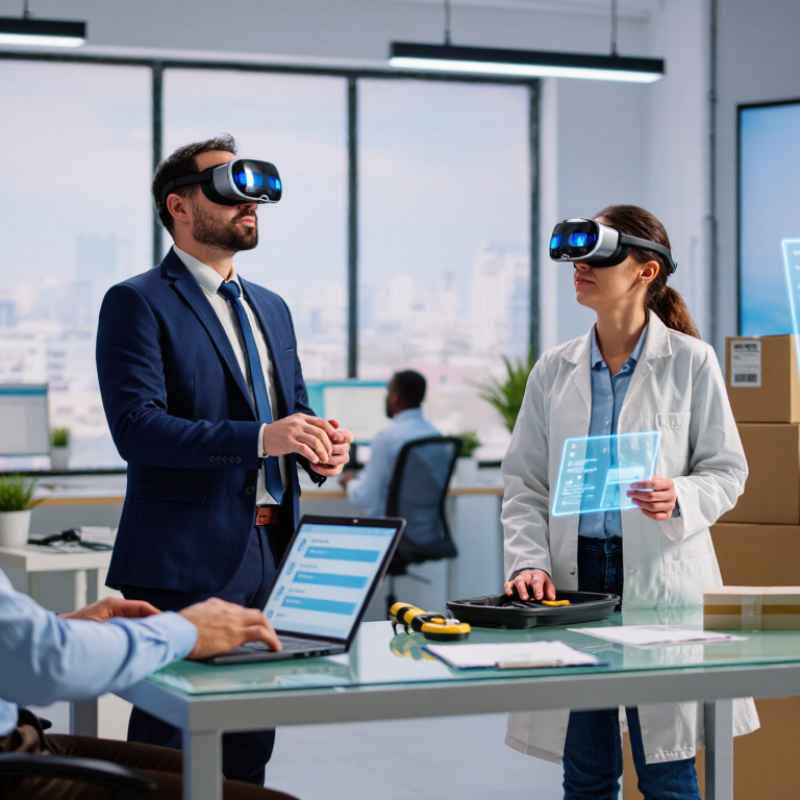
Why Choose Bluetooth Smart Glasses for Business?

What Are Bluetooth Smart Glasses for Business?

Bluetooth smart glasses for business are wearable eyewear with built-in Bluetooth connectivity. They pair with smartphones, tablets, or computers. Employees can answer calls, hear navigation, receive alerts, or dictate notes without holding a device. Some models add cameras or small visual displays. Others focus only on audio. The difference matters.

The Bluetooth SIG 2024 Market Update reported 5.4 billion Bluetooth devices shipped in 2023. It forecasts 7.1 billion annual shipments by 2028. This broad ecosystem supports easier device integration and replacement. In practice, a field technician might hear repair instructions while using both hands. A warehouse worker could receive spoken inventory updates beside a storage rack. These examples sound efficient. They are not automatically better. Battery life, background noise, comfort, and training can limit real productivity.

Tips: Start with one measurable task, such as reducing call interruptions. Test glasses during a real shift, not only in a showroom. Check microphone quality, Bluetooth compatibility, data controls, and cleaning procedures. The National Institute for Occupational Safety and Health recommends evaluating wearable technology within real work conditions, including workload and human factors. Collect employee feedback privately. Some users may feel distracted or watched, even when cameras are disabled. That concern deserves a serious response, not a rushed policy. A small pilot may reveal uncomfortable truths before a costly rollout.

How Bluetooth Smart Glasses Support Workplace Communication

Bluetooth smart glasses can make workplace communication more immediate. A technician can receive spoken instructions while inspecting a machine. A warehouse worker can confirm a shipment without reaching for a phone. These small interactions reduce hand movement and keep attention near the task.

Microsoft’s 2023 Work Trend Index reported that employees spend 57% of their time communicating, compared with 43% creating. Bluetooth smart glasses can support this communication through hands-free calls, voice messages, and short audio alerts. They may also help remote specialists guide field staff through live conversations. Bluetooth SIG’s 2024 Market Update estimated 5.4 billion Bluetooth devices would ship in 2023. This scale suggests broad device compatibility, but compatibility still requires testing.

Practical design matters. Open-ear audio can help workers remain aware of alarms and nearby colleagues. Directional microphones may improve speech capture in noisy areas. However, performance can decline beside engines, crowds, or reflective surfaces. The fit is not universal. Poorly balanced frames may create pressure during long shifts.

Companies should test speech clarity, battery life, accessibility, and data handling with real employees. The National Institute for Occupational Safety and Health emphasizes evaluating technology within actual work conditions, not only controlled demonstrations. A careful pilot should measure response time and missed instructions. It should also ask workers whether the glasses feel helpful or distracting. Early enthusiasm can hide operational friction. That deserves attention.

Which Business Tasks Benefit from Smart Glasses?

Bluetooth smart glasses can support business tasks that demand movement, speed, and accurate information. Their strongest value appears when workers need both hands for tools, equipment, or customers.

In a warehouse, a picker can hear item locations while checking shelves. The hands stay free. A small display can show product codes, quantities, and route changes without requiring a phone. This may reduce repeated screen handling, although poor lighting can affect readability. Errors still happen.

Field technicians can use glasses to view repair diagrams while working on machinery. A remote expert may provide verbal guidance through an approved company system. This helps newer employees follow documented procedures and record service details more consistently. However, Bluetooth range, battery life, and network coverage can interrupt the workflow. A spare charging plan is practical.

Sales staff can access product specifications during customer conversations. Trainers can also demonstrate assembly steps without stopping the lesson. In logistics, drivers can receive short alerts while remaining focused on safe vehicle operation. Audio controls should stay simple and quiet. Privacy matters. Companies need clear consent rules before using cameras or recording features near customers and employees. Testing with real users is essential, because a device that looks efficient may become distracting after several hours. Feedback should shape the final workflow, not assumptions from a product brochure.

What Features Should Businesses Evaluate Before Buying?

When evaluating Bluetooth smart glasses, businesses should begin with the daily workflow, not appearance. A warehouse worker may need clear voice prompts while carrying boxes. A field technician may require hands-free calls in bright sunlight. Bluetooth SIG’s 2024 Market Update forecasts Bluetooth device shipments will grow from 5.4 billion in 2023 to 7.6 billion by 2028. This growth makes compatibility important. Check Bluetooth profiles, operating-system support, microphone quality, and connection stability in crowded environments.

Battery performance needs practical testing. Ask how many hours the glasses support during calls, navigation, and audio playback. A device lasting eight hours in a laboratory may last four hours on a busy shift. Examine charging time, replaceable parts, weight, lens options, and resistance to dust or light rain. Grand View Research estimates the global smart-glasses market could expand at a 27.3% compound annual growth rate from 2024 to 2030. Fast growth can encourage rushed purchasing.

Privacy and manageability deserve equal attention. Evaluate physical indicators for microphones and cameras, administrator controls, encryption, data retention, and remote disabling. Employees should receive clear usage guidance. Customers may feel uncomfortable if recording signals are unclear. Accessibility also matters, including adjustable volume, prescription compatibility, and readable controls. My imperfect view is simple: impressive demonstrations can hide weak support processes. Require a small pilot, measure failed connections and user fatigue, then revise the procurement criteria. Pilot before scale.

Why Choose Bluetooth Smart Glasses for Business? - What Features Should Businesses Evaluate Before Buying?
Evaluation Dimension Business Requirement Recommended Benchmark Why It Matters How to Validate Before Buying Priority
Bluetooth Connectivity Stable wireless communication with phones, tablets, laptops, and approved accessories. Bluetooth 5.2 or newer; confirm supported profiles, range, and multipoint capability. Reduces connection failures during calls, field work, training, and hands-free workflows. Test pairing, reconnection, roaming distance, and simultaneous use with the organization’s standard devices. High
Battery Runtime Enough power for a normal shift without interrupting work. Approximately 4–8 hours of active use, depending on audio, calls, sensors, and display functions. Longer runtime improves employee productivity and reduces charging interruptions. Run a full-day pilot using the actual calling, audio, notification, and camera or display features required. High
Charging and Docking Simple, repeatable charging for individual users and shared equipment. USB-C charging or a reliable charging case; verify charging time and replacement availability. Standardized charging lowers operational friction and simplifies inventory management. Measure charge time, inspect connector durability, and confirm charging behavior when devices are stored overnight. Medium
Audio and Microphone Quality Clear voice communication while allowing users to remain aware of their surroundings. Open-ear audio, intelligible speech in moderate noise, and microphones with effective noise reduction. Supports calls, voice commands, remote assistance, and training without completely blocking ambient sound. Compare call clarity in offices, warehouses, streets, and other representative environments. High
Comfort and Ergonomics Comfortable wear during extended shifts and compatibility with safety equipment where applicable. Balanced weight distribution, adjustable fit, stable nose and temple contact, and low pressure points. Comfort directly affects adoption, continuous use, and employee acceptance. Conduct supervised wear tests of at least two hours with different head sizes, prescription lenses, helmets, or protective equipment. High
Durability and Ingress Protection Resistance to dust, light splashes, repeated handling, and normal workplace wear. A documented IP rating appropriate to the environment; IP54 is a common baseline for dust and splash resistance. Improves reliability in field service, logistics, manufacturing, and outdoor operations. Review the formal IP test documentation and perform controlled workplace trials; do not assume water resistance without certification. High
Mobile and IT Compatibility Reliable operation with the company’s approved operating systems, applications, and device policies. Documented support for current iOS and Android versions, plus any required desktop or enterprise application. Compatibility problems can create support costs and prevent deployment at scale. Test enrollment, updates, notifications, calls, permissions, and required applications on representative corporate devices. High
Privacy and Data Protection Clear control over microphones, cameras, sensors, recordings, cloud processing, and user permissions. Hardware indicators or controls where applicable, configurable permissions, encryption in transit, and documented data retention. Protects confidential conversations, customer information, employee privacy, and regulated data. Review the privacy policy, data-flow documentation, security controls, administrator settings, and data deletion process. High
Enterprise Management Centralized deployment, configuration, monitoring, and retirement of devices. Support for relevant mobile device management, application management, authentication, and remote wipe processes. Central management reduces manual setup and improves security across a large workforce. Perform a pilot with the organization’s existing management platform and verify policy enforcement and device removal. High
Safety and Situational Awareness Use should not create unacceptable distraction or interfere with workplace safety procedures. Open-ear operation, configurable notifications, visible status controls, and compatibility with site safety rules. Helps employees hear alarms, vehicles, colleagues, and environmental warnings where required. Complete a workplace hazard assessment and test the glasses alongside existing hearing, eye, and head protection. High
Voice and Hands-Free Controls Users can access approved functions without repeatedly handling a phone or tablet. Accurate wake-word or button activation, usable controls with gloves where needed, and configurable commands. Hands-free operation is valuable for inspections, inventory tasks, maintenance, and remote support. Measure command accuracy in quiet and noisy settings and test the workflows used most frequently by employees. Medium
Display or Visual Assistance Any visual information must be readable, relevant, and safe for the work environment. Adjustable brightness, adequate readability in the intended lighting, and notifications that do not obscure vision. Useful visual prompts can reduce task time, but poor visibility or distraction can reduce productivity and safety. Test readability indoors, outdoors, in low light, and while moving; verify that critical information is not presented ambiguously. Medium
Accessibility and Fit Options Equipment should accommodate different users and, where relevant, prescription eyewear. Multiple fit options, adjustable components, accessible controls, and a documented prescription-lens solution if required. Inclusive design improves adoption and reduces the need for separate equipment groups. Invite users with different facial sizes, visual needs, and dexterity levels to participate in the trial. Medium
Software Updates and Support Reliable firmware maintenance, troubleshooting, and lifecycle support. Published update policy, security patch process, technical documentation, and defined support response times. Ongoing support protects the initial investment and reduces operational downtime. Review the support agreement, update history, spare-parts process, training materials, and end-of-support policy. High
Total Cost of Ownership Evaluate the full cost rather than only the purchase price. Include hardware, accessories, software subscriptions, connectivity, training, repairs, replacements, and device management. A lower initial price may result in higher costs if battery replacement, support, or software fees are significant. Prepare a three-year cost model using the expected number of users, replacement rate, support workload, and subscription terms. High
Note: Recommended benchmarks are general procurement reference points. Actual requirements should be confirmed through a workplace risk assessment, technical pilot, privacy review, and compatibility testing.

How to Implement Bluetooth Smart Glasses in the Workplace

How to Implement Bluetooth Smart Glasses in the Workplace

Implementation should begin with a specific workplace task, not fascination with new hardware. Choose one repeatable process, such as equipment checks, guided picking, or hands-free documentation. Interview employees who perform it daily. Observe interruptions, lighting, noise, and safety boundaries before selecting devices. A small pilot with five to ten users can reveal practical friction quickly.

Prepare a written workflow showing when glasses connect, what information appears, and when workers must use their hands. Pair devices only with authorized equipment. Apply encryption, access controls, and regular software updates. Keep personal data collection limited to the stated business purpose. Involve information security, occupational safety, and employee representatives before wider deployment. Their questions often expose risks that technical teams miss.

Training should include short practice sessions, voice-command exercises, cleaning procedures, and a clear fault-reporting method. Supervisors need simple measures, such as task time, error rates, comfort, and connection failures. Do not measure productivity alone. A faster process may still create fatigue or distraction. The first workflow may fail. That is useful evidence, not embarrassment. One pilot team might prefer printed instructions, especially in noisy areas. Adjust the design, document each change, and let workers review the revised process before expanding it.

Hi! What is your idea today?
WORLDIA 8618618272087
Nina +86 15631662072
google-site-verification=0STkOZEvYuoDp-D40AVfMUk--CzM2AsZv24S6ISPdmk